The Blog
Practical advice for planning shifts, managing signups, tracking attendance, and running events well.
Want to see the product? Start with AI rostering. Need a how-to? Start with the Knowledge Base, then see the volunteer signup flow and QR check-in and checkout.
More from the blog · Page 5 of 9
Change the roster. Undo the last change.
Roster changes save automatically in Proximatic. See who changed, reopen the saved result, and Undo the last eligible saved roster change.
Read Article
4 min read
School Carnival Volunteer Schedule: Booths, Breaks and Handovers
Keep carnival booths covered through breaks and handovers. Describe the jobs in Proximatic to build the shifts and roster, with email availability replies in Pro.
Read Article
5 min read
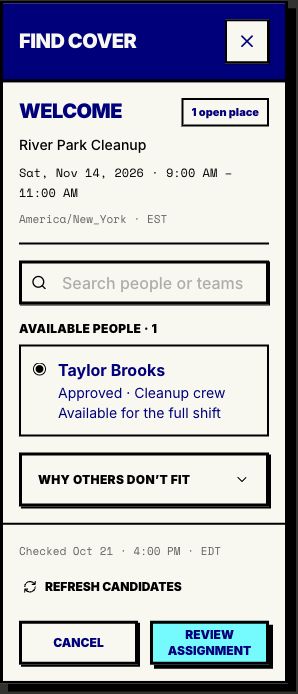
Fill Volunteer Shifts Without Rebuilding Your Roster
Find available volunteers for an open shift. Proximatic checks the full hours, role and existing commitments, then lets you assign cover for free.
Read Article
3 min read
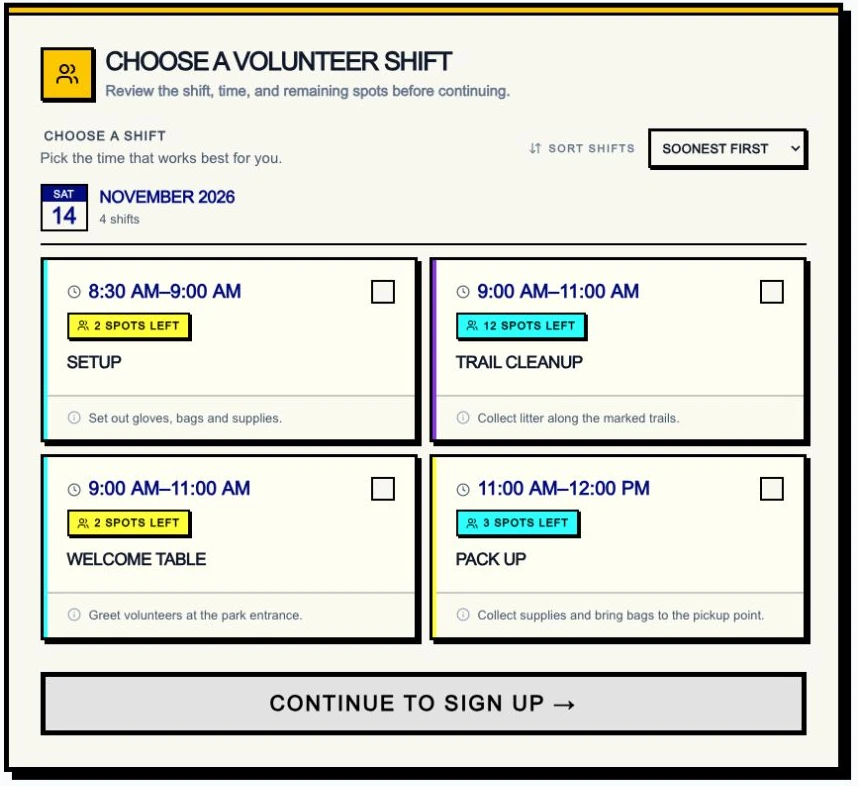
Volunteer Availability Form: Get Straight to Filled Shifts
Skip the availability spreadsheet. Share a Proximatic event so guests can claim shifts, then use saved hours and vacation dates to schedule your regular volunteers.
Read Article
5 min read
Volunteer Driver Scheduling: Make the Dispatch Handoff Clear
Keep approved drivers and warehouse helpers in the right shifts. Let Proximatic prepare the roster from email replies, then review loading handoffs and open places.
Read Article
5 min read
Track Volunteer Hours From Check-In to Your Event Report
Turn volunteer signup into recorded attendance and an hours report. Follow a pantry shift from its AI plan through check-in, checkout and the CSV export.
Read Article
3 min read