Tournament Volunteer Scheduling Around Game Times
Alex and Blair can’t take an opening shift because their children play from 9–10am. Casey and Devon can open, but they need to leave before an 11am game. The concession stand needs one crew to take over from the other, with enough time together to hand over the work.
Have the second crew start at 10:15am, before the first crew leaves at 10:30am. Those fifteen minutes let them check supplies and pass on unfinished jobs.
Start with the game, then find the available window
Some clubs make this distinction explicit. Millard North's team-parent guide describes tournament duties outside a child's playing time and early arrivals before taking over gate and concession work. Bowling Green School's concession instructions warn parents that relief won't be available simply so they can leave their shift to watch their child play.
For a November 14 tournament in New York, two parents from each team can work the concession stand. The organizer asks when they can help around their children's games.
| Parents | Game and confirmed availability |
|---|---|
| Alex and Blair, Team A | Game: 9–10am. Keep 8:45–10:15am clear. Available: 10:15am–12:30pm. |
| Casey and Devon, Team B | Game: 11am–noon. Keep 10:45am–12:15pm clear. Available: 8:15–10:45am. |
These families have left fifteen minutes before and after their games for getting ready and moving between places. Ask each parent what they need, especially when they're coaching or moving between fields.
Put four people into the fifteen-minute handover
The concession lead chooses two shifts, each needing two people:
- Opening: 8:30–10:30am. Casey and Devon can cover the full two hours.
- Second shift: 10:15am–12:15pm. Alex and Blair can cover the full two hours.
From 10:15–10:30am, all four people are there. The incoming pair learns what's running low, where supplies are kept and which jobs need finishing before the opening pair leaves.
Collect confirmed times, then build the roster
Create the two concession shifts in a Standard event in Proximatic, with two places on each. Add your approved crew and their confirmed availability, then use Auto-Schedule to build the roster.
With Pro, Request availability collects parents’ hours by email. Proximatic records clear replies, including role preferences and shift limits. It can ask one follow-up question; if the answer still isn’t enough, the parent finishes with Respond online. Alex's reply gives you something you can schedule:
I can help on November 14, 2026, from 10:15am to 12:30pm, New York time. Please use only those hours for this event.
Proximatic's Riverside Club Tournament email asking parents to reply with their availability
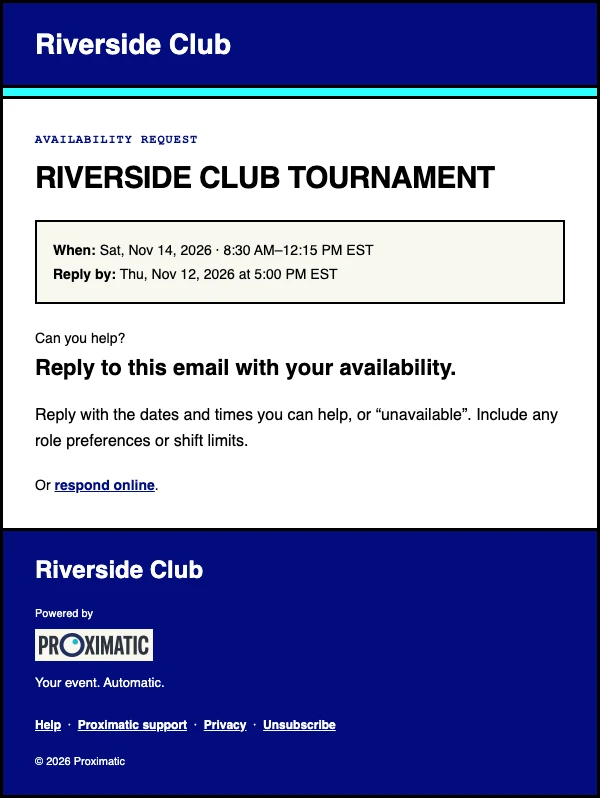
Proximatic prepares the private roster from those replies. Review it before sharing it. Check both concession shifts and all four names during the handover. If a place remains open, the coverage checklist helps you find someone for that job and time.
The availability guide shows the controls. If your approved team already has accurate saved availability, AI event setup can create the draft and shifts from your event description.
Ask again when the next game is confirmed
If Team A might play again at 1pm, don't mark Alex available all afternoon. Use the confirmed morning window. Ask for updated hours once the later commitment is known, then review the affected assignments before relying on them.
Let parents know their assigned job and time, including when the next crew will take over. They can enjoy the game without wondering whether they're leaving someone alone at the stand.
For meet jobs chosen by preference, work through two Runner requests and a Timer vacancy.
Preview your tournament's roles and shifts, then build the roster around the hours your parents can give.