Volunteer No-Shows: A Clear Backup Plan for Event Day
For volunteer no-shows, confirm the person is absent, give one lead responsibility for the job and agree a suitable replacement for the full remaining commitment. In Proximatic, use Find cover for an open place to check approved people against the role, available hours and other assignments. Review the proposed person, contact them to agree the commitment, then save the assignment; the rest of the roster stays in place.
A useful backup plan says which role needs cover, who decides, and when to act. That is much easier to use at the entrance than a list of spare names.
Check the person before replacing them
Someone may have gone straight to the work area, entered through another door or be waiting for attendance assistance. A missing check-in is a reason to check with the lead.
Find the job and time that still need cover
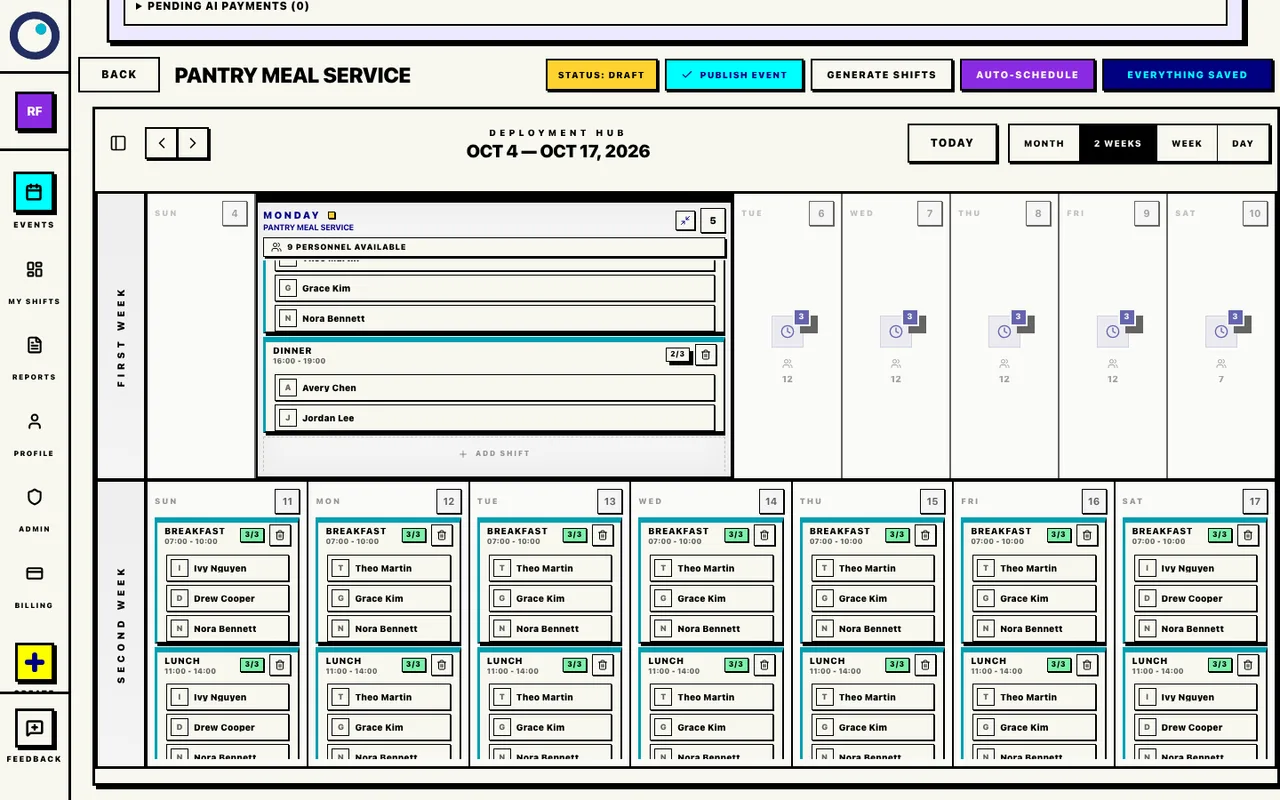
If an attendance record is missing or delayed, check with the shift lead before treating the volunteer as absent.
If the volunteer is delayed, ask for a realistic arrival time. If they have cancelled, identify the job and remaining time that actually need covering.
Give each role an owner and a decision time
For a 9am opening, the entrance lead could review a missing Registration host at 8:50am, then decide by 8:55am whether an approved standby host can take the 9–11am commitment.
The transport lead needs an earlier decision if a driver is due to leave at 9am. Confirm the driver, vehicle and route by 8:50am. If there is no approved replacement, revise or hold the delivery.
Packing might need a decision by 9:05am; a later Cleanup shift could be reviewed at 10:45am, while the earlier team is still available for handover.
Give each affected role a named decision-maker and a time to act. Keep that person with the live roster so they can confirm who has arrived and which assignment still needs cover.
Let Proximatic check suitable cover
Open the affected shift and choose Find cover when it has an open place. Proximatic checks approved role membership, full shift availability and conflicting assignments. Review the proposed person, contact them and obtain their agreement, then save that one assignment. If the absent person still occupies the place, resolve their assignment in the roster first; a missing check-in does not automatically open it.
Review a suitable person for the open place
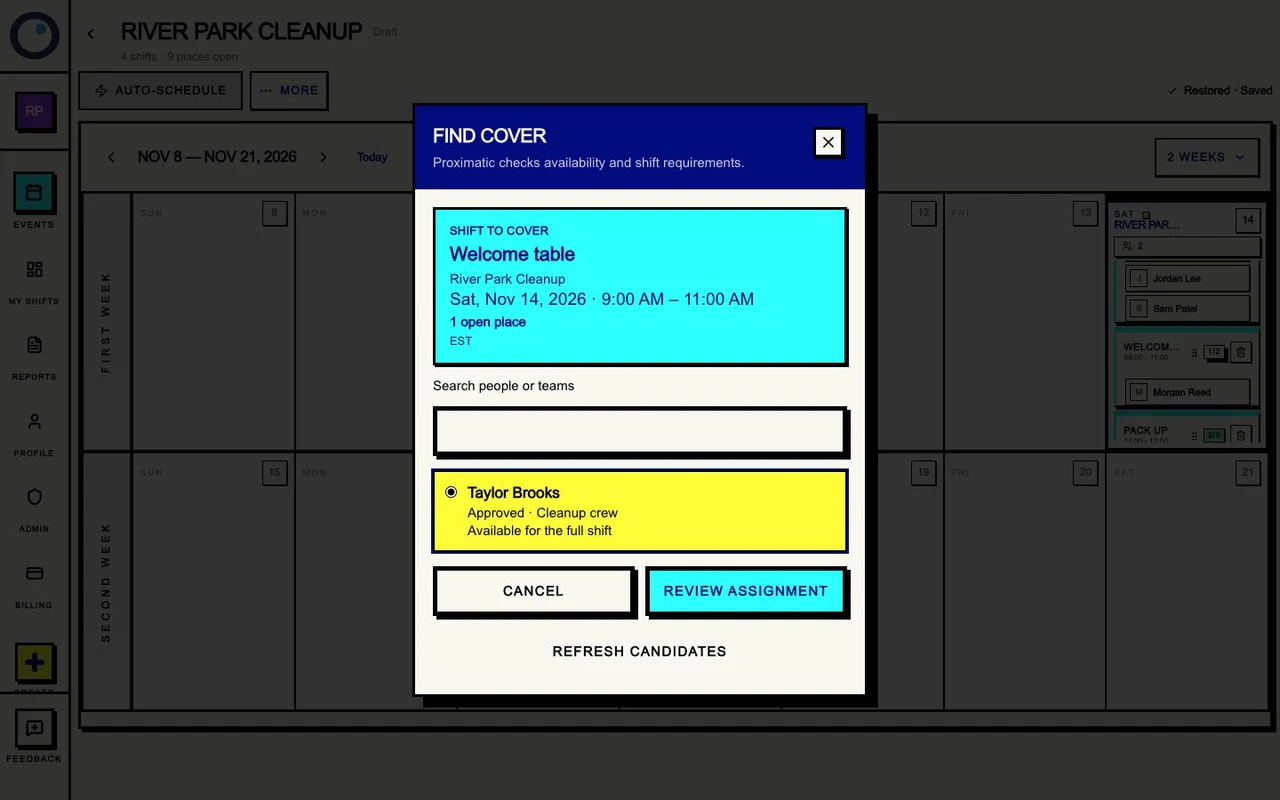
A proposed match is not the person’s agreement to come at short notice. Contact them before relying on that cover. If they can only arrive partway through, the lead still needs cover for the earlier work.
Contact the right backup
Ask someone who has agreed to standby and is approved for the role. Give the exact time, meeting point, lead and response deadline. Check their other commitments before moving them.
If nobody suitable can cover, the lead needs to adjust the operating plan. Moving a person out of an already covered job can create another gap.
Three messages to copy
Check a late arrival
Hi [name], we're checking the [role] roster for [event] today. Are you on your way for [start–end]?
If you're delayed, please reply with an arrival estimate by [decision time]. Meet [lead] at [meeting point]. If you can't make it, let us know so we can arrange cover. Thank you.
Ask an agreed standby volunteer
Hi [name], you said we could contact you about standby cover. Can you take [role] at [event], [start–end], meeting [lead] at [place]?
Please reply by [time]. We'll confirm the assignment after checking the current roster. It's fine if you can't.
Confirm the replacement
Thanks, [name]. Your confirmed role is [role] at [event], [start–end], meeting [lead] at [place]. [Lead] has the updated roster.
Please use [attendance route] when you arrive and check out when you finish. Contact [organizer] if anything changes before arrival.
Send the confirmation after the person accepts and the correct assignment is in the roster. An unanswered request is still an open place.
Reduce the chasing before the next event
For a future Standard draft with custom shifts, Pro can request availability by email from your approved roster teams. Volunteers reply with dates and hours, and Proximatic prepares the private draft roster from those replies. Review the open places and commitments, then publish to start individual requests to confirm assigned shifts. An availability reply is separate from accepting the assignment.
That gives the lead a clearer starting roster. Keep an agreed standby plan for the day itself: a future-draft availability request does not resolve an absent volunteer during an event. See email-assisted availability collection.
Hand over the current plan
Use the normal eligible signup route or the organizer's roster controls for the replacement. Tell the role lead who is coming, when they will arrive, and what work still needs attention.
Record the replacement's attendance on their own assignment. Keep the original person's absence separate. Afterward, review whether the decision times and backup contacts worked.
Use the signup and attendance walkthrough for the roster handoff. Before your next event, share clear shift reminders so everyone has the right times, meeting point and contact route.