Fundraising dinner setup guide
From Stripe setup to a confirmed table.
Set up a Gala for paid whole-table reservations, give each purchaser a table-owner page for guests, and keep the coordinator’s assignment list and volunteer check-in in the same organization.
Draft for free. Get paid for your events for $16/month per organization. Proximatic takes $0 from your event payments; Stripe's standard processing fees still apply.
How the handoff works
One Gala, three clear responsibilities.
Proximatic separates the organization’s billing and payout setup, the supporter’s one-table purchase, and the coordinator’s roster. That is why the flow can be audited from setup through event day.
Sign up, verify your email, and choose the organization that will run the dinner. Drafts need no card or subscription. When you are ready to accept payments, the organization owner can enable Pro in Billing through Stripe's secure checkout.
Open Billing & Usage to manage Pro. The subscription belongs to the organization, not to each event or participant.
What happens next: Get paid for your events for $16/month per organization. Connect Stripe, accept event payments, and keep the money after Stripe's standard processing fees. Proximatic takes $0 from your payments. It is not a per-event activation fee. Enabling Pro does not publish a draft or collect table money.
The Pro checkout screen is not shown; it requires a verified Stripe test checkout.
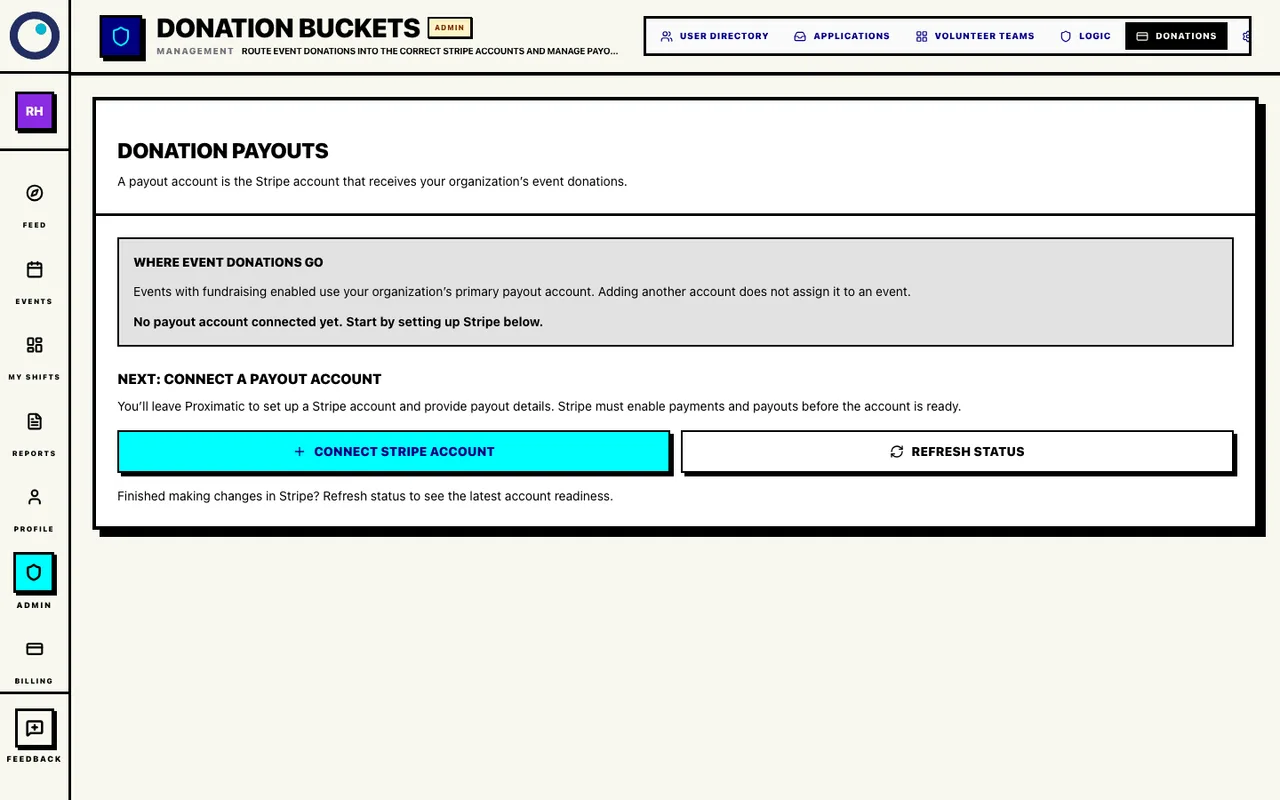
Open organization Payments, find Donation payouts, and select Connect Stripe account. Complete Stripe’s identity, bank, and verification steps. Return to Proximatic and select Refresh status.
Open organization Payments to manage the payout connection. The billing card and Stripe payout account are separate destinations.
What happens next: Continue when the account shows Connected and Primary · event donations. Fundraising events use the organization’s primary connected account; Stripe controls its processing fees and payout timing.
If Stripe still needs information, select Continue setup in Stripe, finish the requested steps, and come back to Refresh status.
Connect the organization’s Stripe payout account
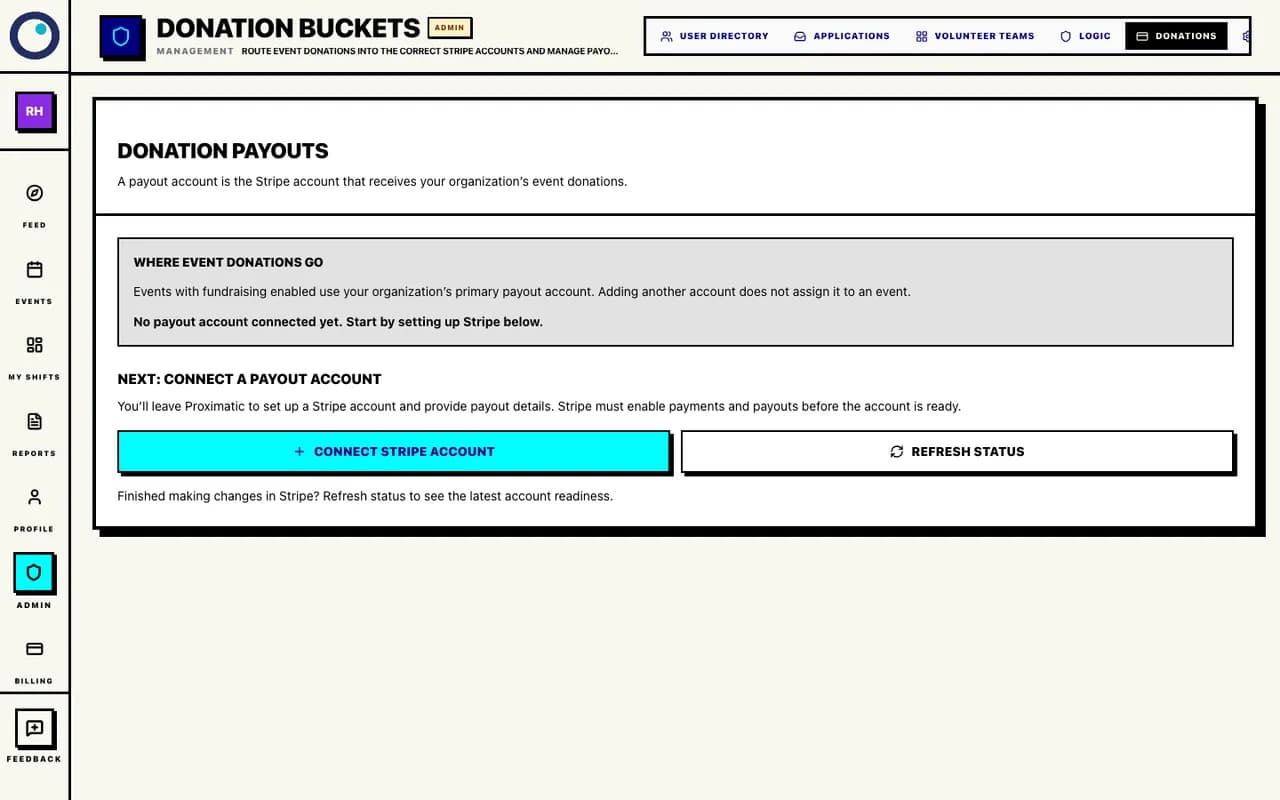
Select Connect Stripe account, then return and select Refresh status after setup. Open Create Event, choose the Gala / banquet template, and enter the title, date, time, venue, and supporter-facing description. Set Start Table Count, Seats / Table, Table Cost ($), and Overall Goal ($), then Save Draft.
Gala Configuration: a ten-table dinner
- Start Table Count
- 10 tables available to reserve.
- Seats / Table
- 8 seats at each table.
- Table Cost ($)
- 200 for the whole table, not per seat.
- Overall Goal ($)
- 2,000 as the event’s fundraising target.
Open Create Event to enter the Gala fields.
What happens next: For example, 10 tables × 8 seats at $200 per table creates ten reservable table slots and a $2,000 default goal. One purchaser owns each table; Seats / Table does not create eight guest registrations or individual tickets.
Create the Gala and define the tables
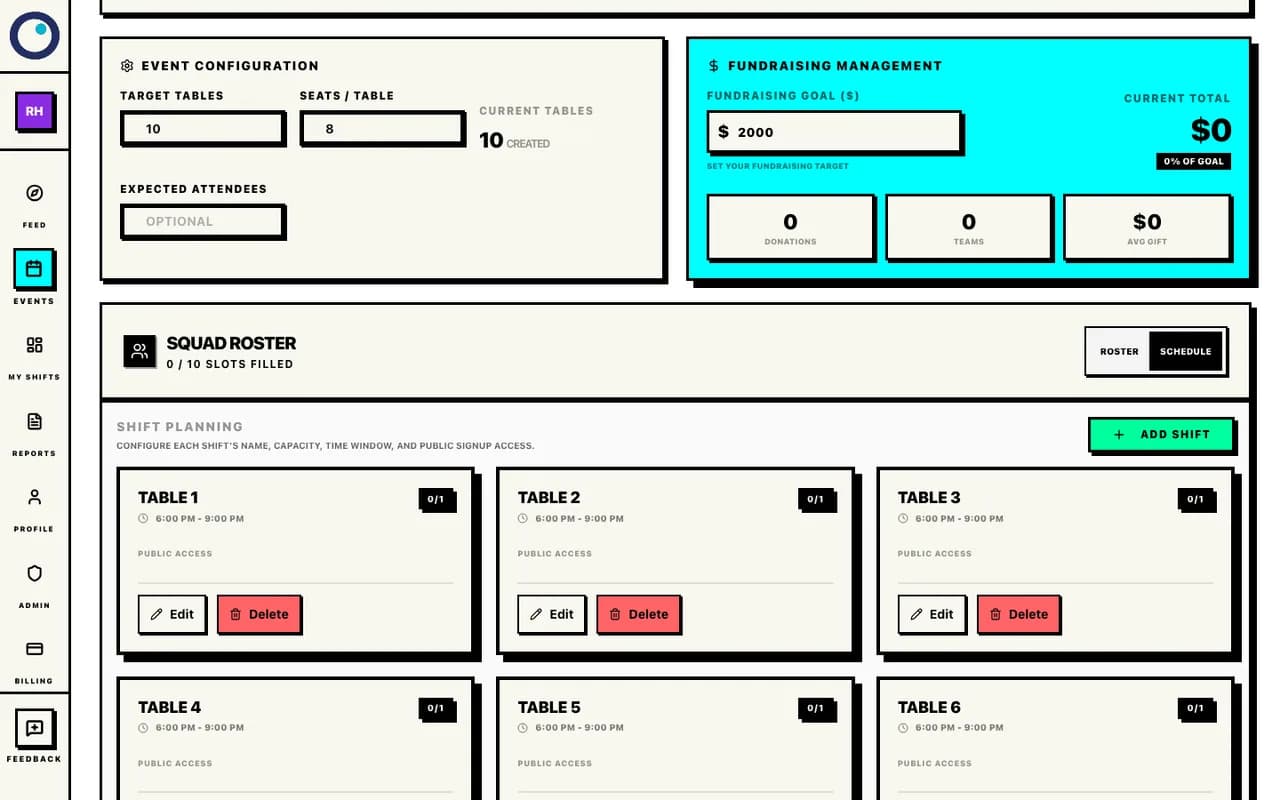
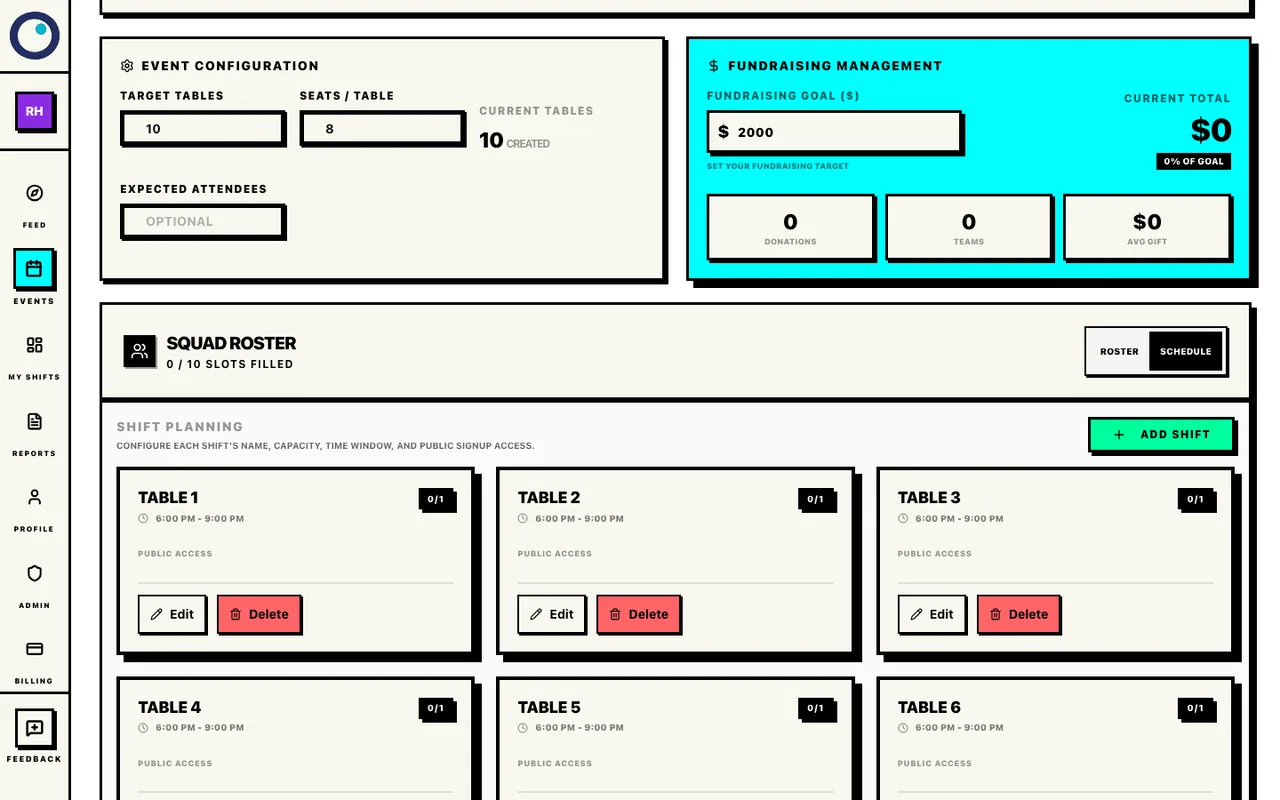
Review tables, seats, and the fundraising goal in Event Configuration. Save the draft, use Preview to check the date, venue, table price, and organizer contact details, then choose Publish Now. A connected payout account is required, along with Pro or valid paid activation access for this event. Review and confirm publication.
What happens next: Publishing does not add a per-event activation charge. Proximatic adds no percentage fee to your table payments or donations; Stripe processing fees still apply. After Event Published appears, open Public Page and share that link.
If the publication dialog reports a setup problem, check Billing and the payout account, then return to the same draft. Contact support if a payment has completed but the event remains unavailable.
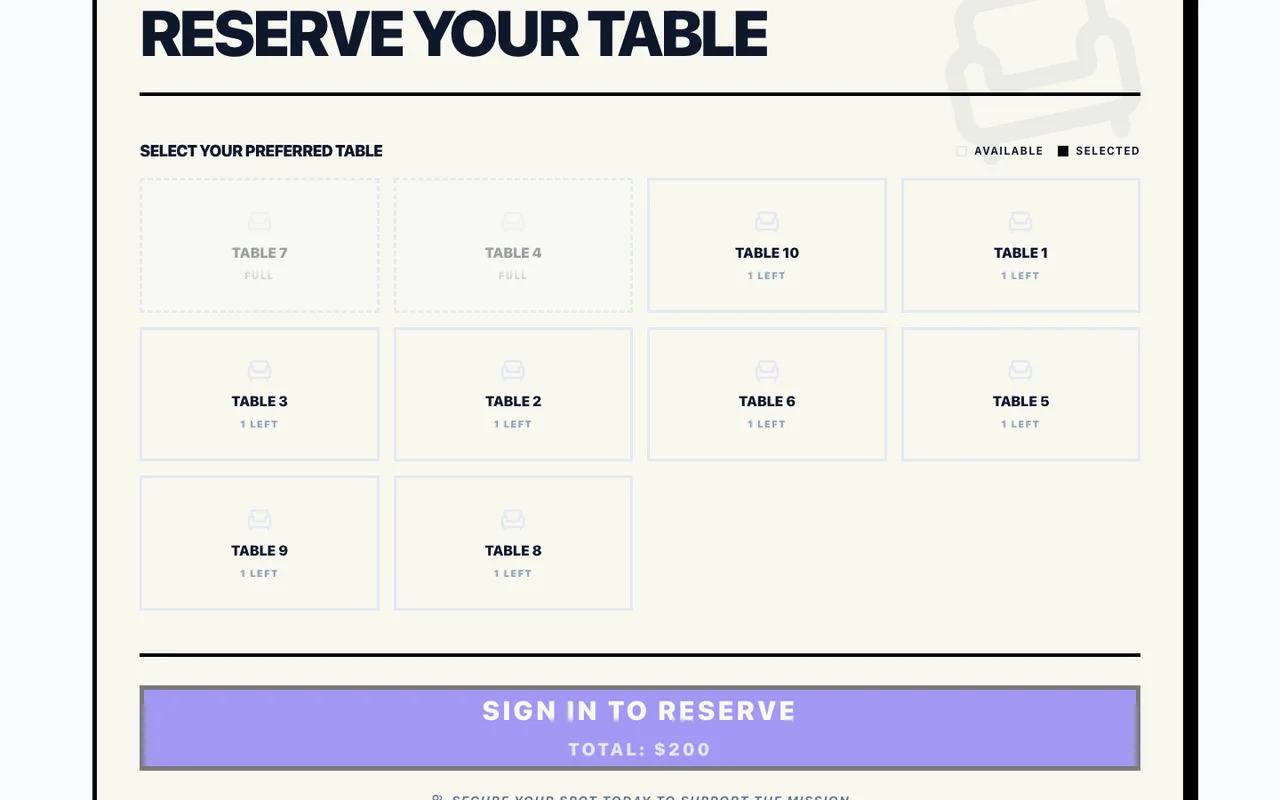
A supporter opens the public Gala page and sees the table grid. They select an available table. If they are signed out, Sign In to Reserve takes them through account access and verified-email sign-in before returning them to the Gala.
What happens next: The table grid shows which tables are available, full, ended, or already confirmed for the current account. This is the public reservation step, not volunteer signup.
Let a supporter choose a table
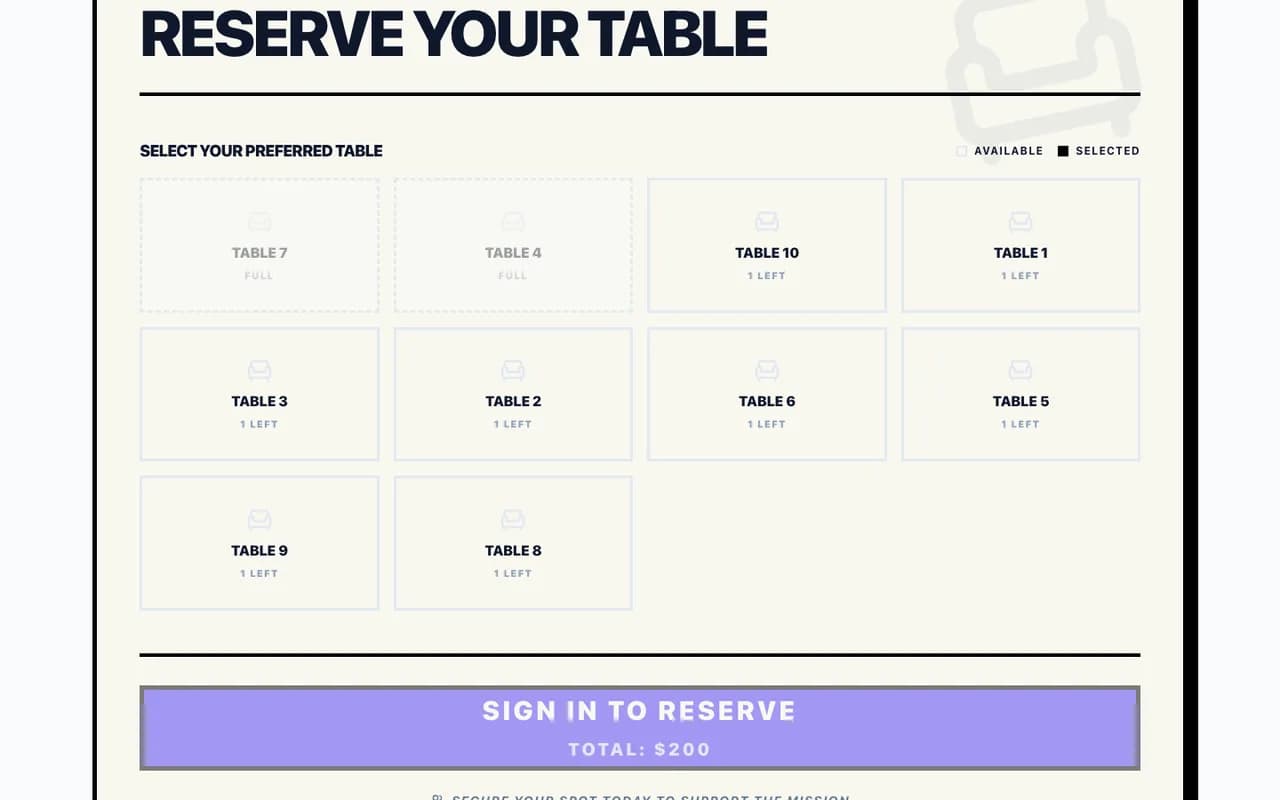
Supporters choose an available table; reservation requires a verified account. After choosing a table, the supporter selects Book My Table and completes the Stripe payment form. The checkout shows the whole-table total, not a per-seat amount, and identifies the connected organization receiving the payment.
What happens next: Stripe authorizes payment for the whole table before Proximatic finalizes the reservation. Look for Table payment authorized, then confirm the table assignment appears on the Gala and table page.
The checkout screen is not shown; completing it requires a connected Stripe test checkout and test payout account.
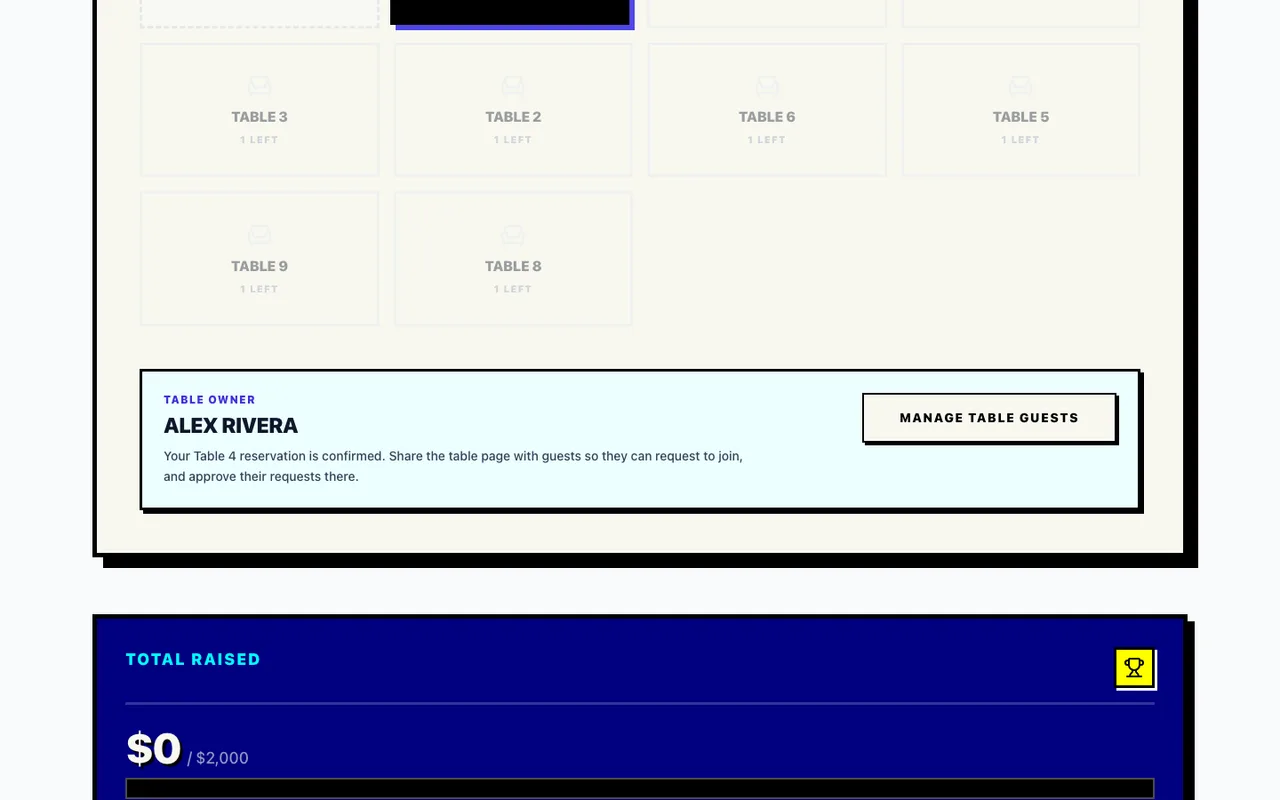
After the reservation is reconciled, the supporter returns to the Gala and sees You’re All Set with the assigned table. The new table owner card identifies the owner and offers Manage table guests.
What happens next: Proximatic creates the table team, makes the purchaser its CAPTAIN, and gives that owner a shareable page for guest requests. If reconciliation is still finishing, the page explains that the table link will appear after payment confirmation.
Give the table owner a confirmed table page
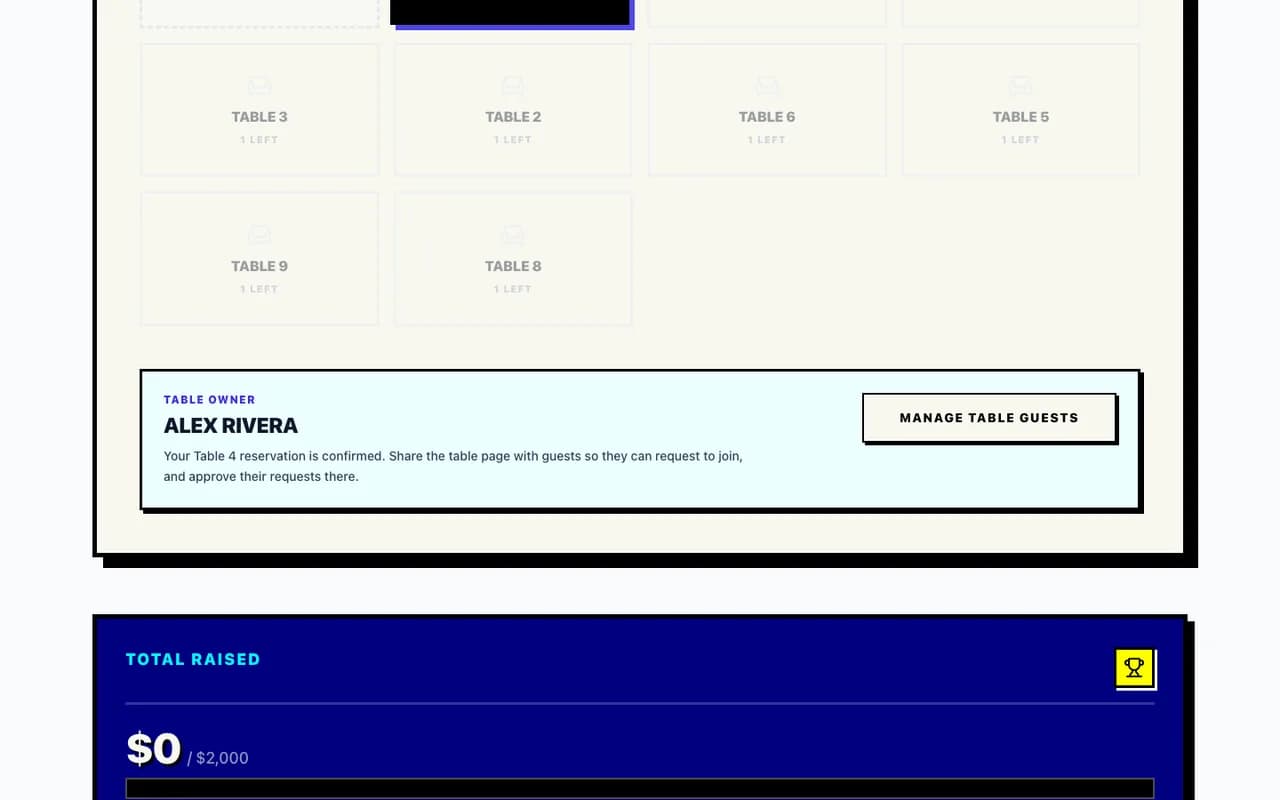
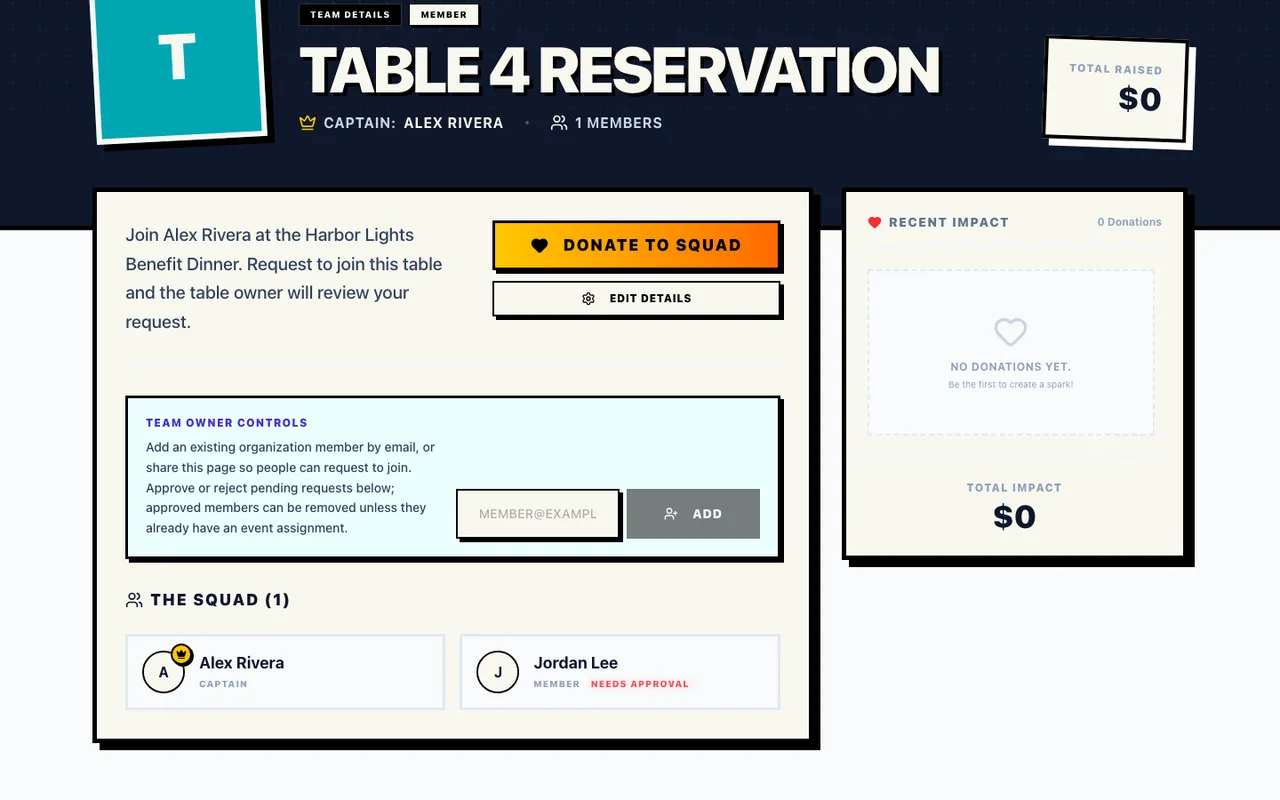
The table owner opens guest requests from this view. The table owner shares the Table 4 Reservation page. Guests can request to join from that page. The owner sees the captain role, member count, pending join requests, and the approve or reject actions.
What happens next: This is guest coordination, not individual ticketing: the table reservation remains one paid table assignment, while the table page gives the owner a place to organize the people attending with them.
Collect guests on the table page
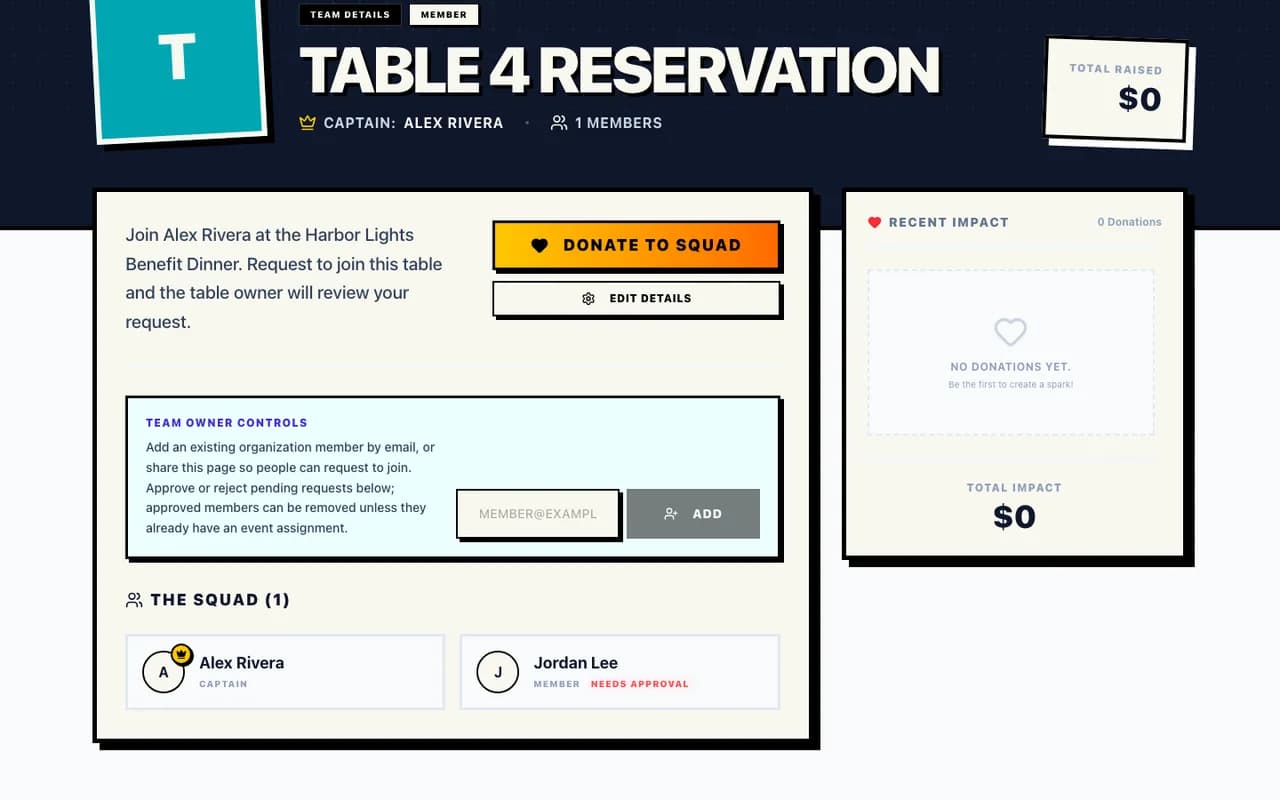
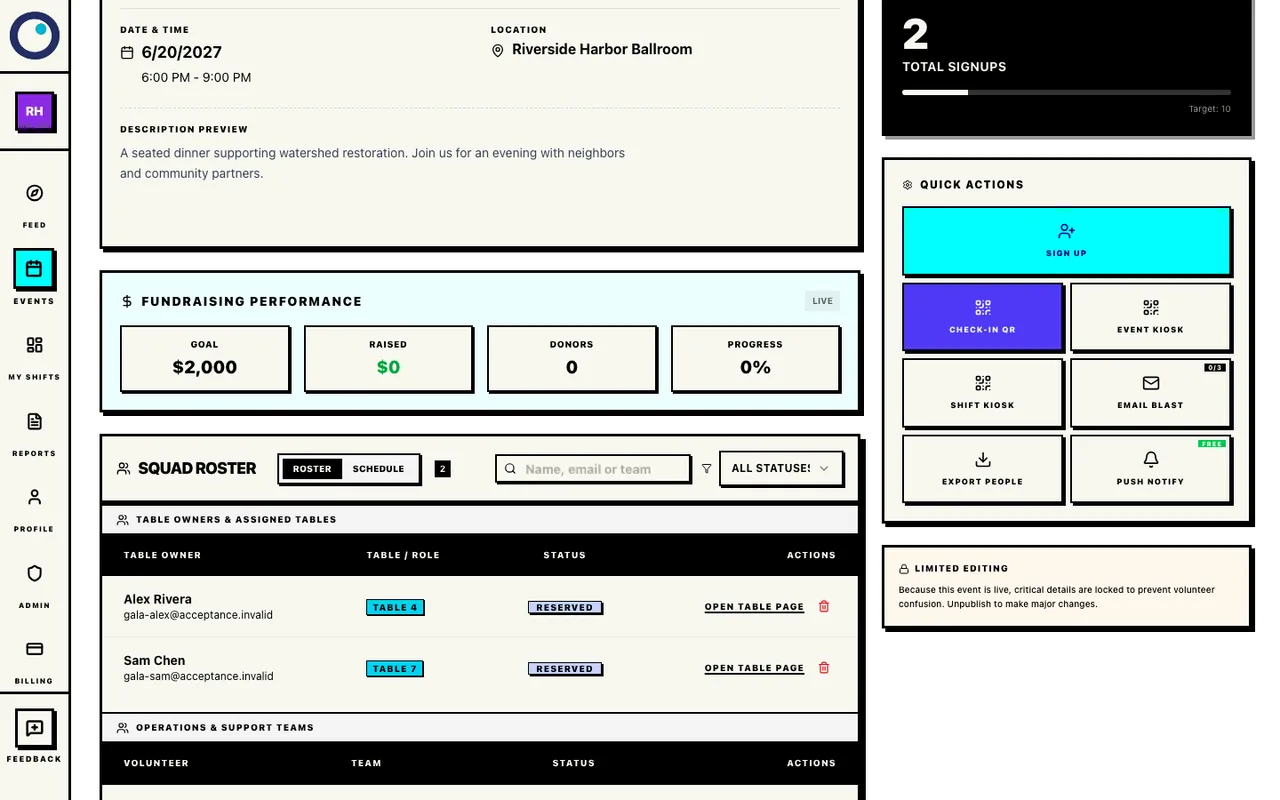
Review guest requests here; Alex is captain and Jordan is pending. In Gala management, open the roster. Table owners appear under Table owners & assigned tables with their name, email, Table / Role, status (Reserved or At Event), and an Open table page link. Search by name, email, or team when you need one reservation quickly.
What happens next: The same management view shows Fundraising Performance with goal, raised amount, donors, and progress. Use it to reconcile incoming reservations and keep your own event-day guest list alongside the table assignments.
Review the coordinator table-assignment list
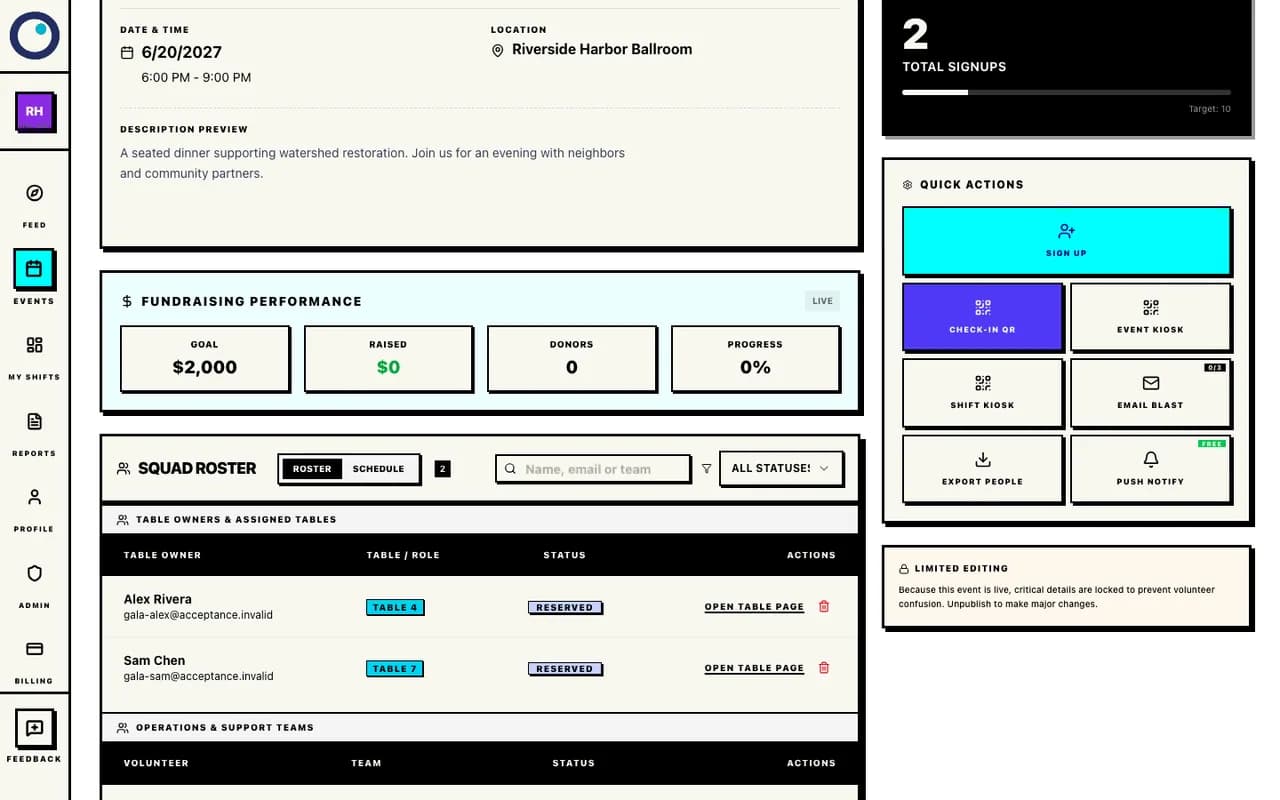
Open each table page from the roster; Reserved assignments appear here. Create a second Standard Event in the same organization for setup, serving, cleanup, or other volunteer roles. Publish its volunteer page separately from the Gala page. Standard events have no activation fee.
What happens next: Share the Standard link with helpers and the Gala link with table buyers. A Gala event for paid tables and a free Standard event for volunteers keeps the two audiences and workflows clear.
Open Standard Event to create the volunteer event. Helpers can read the public page without an account. To reserve a role, they sign in or create an account, verify their email, then return to review and confirm the signup. See the volunteer signup guide for the volunteer-side screens.
Create a separate free Standard event for volunteers
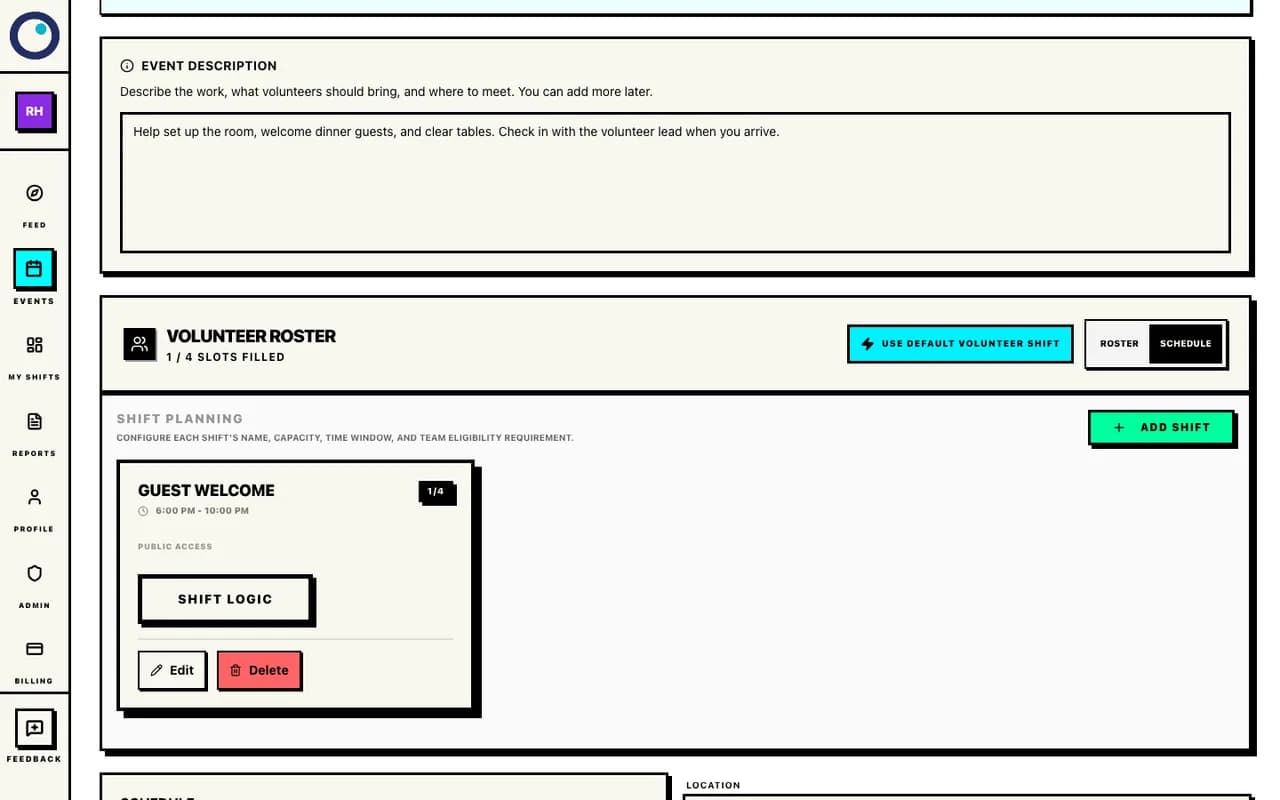
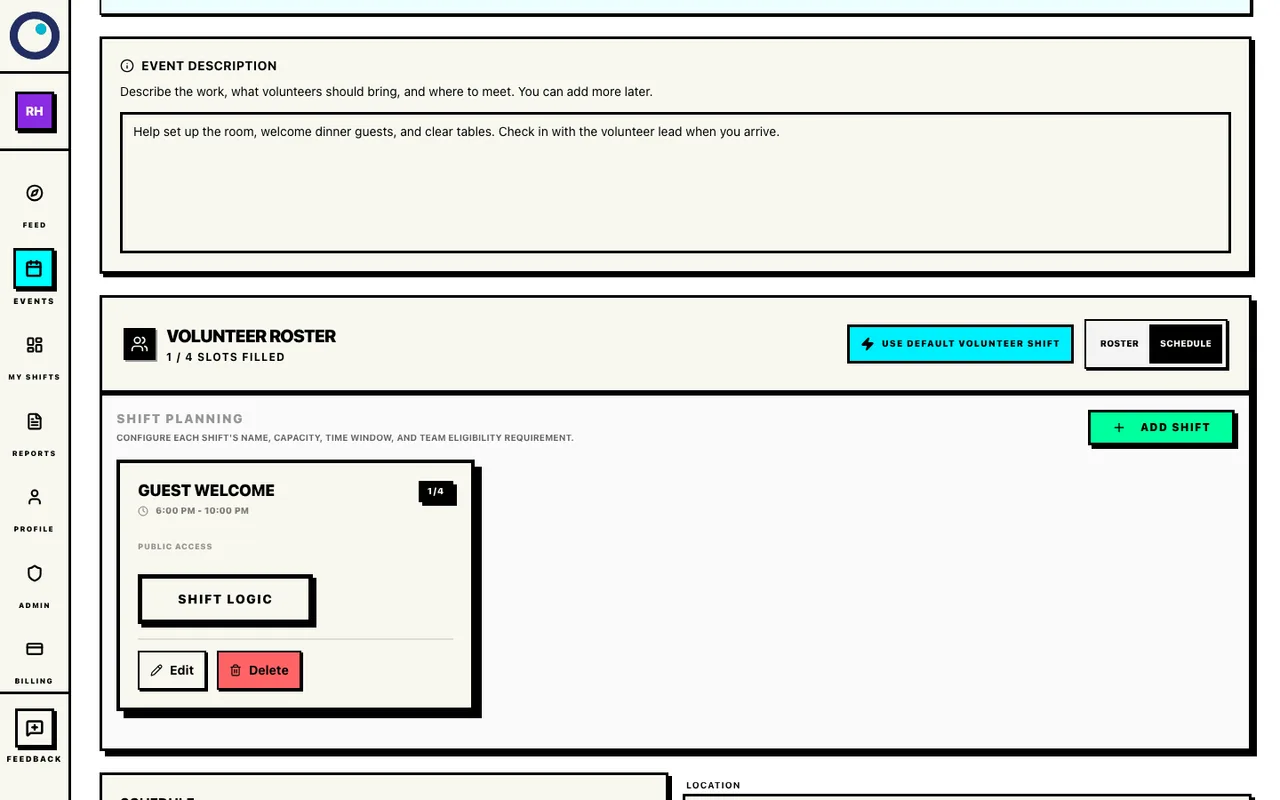
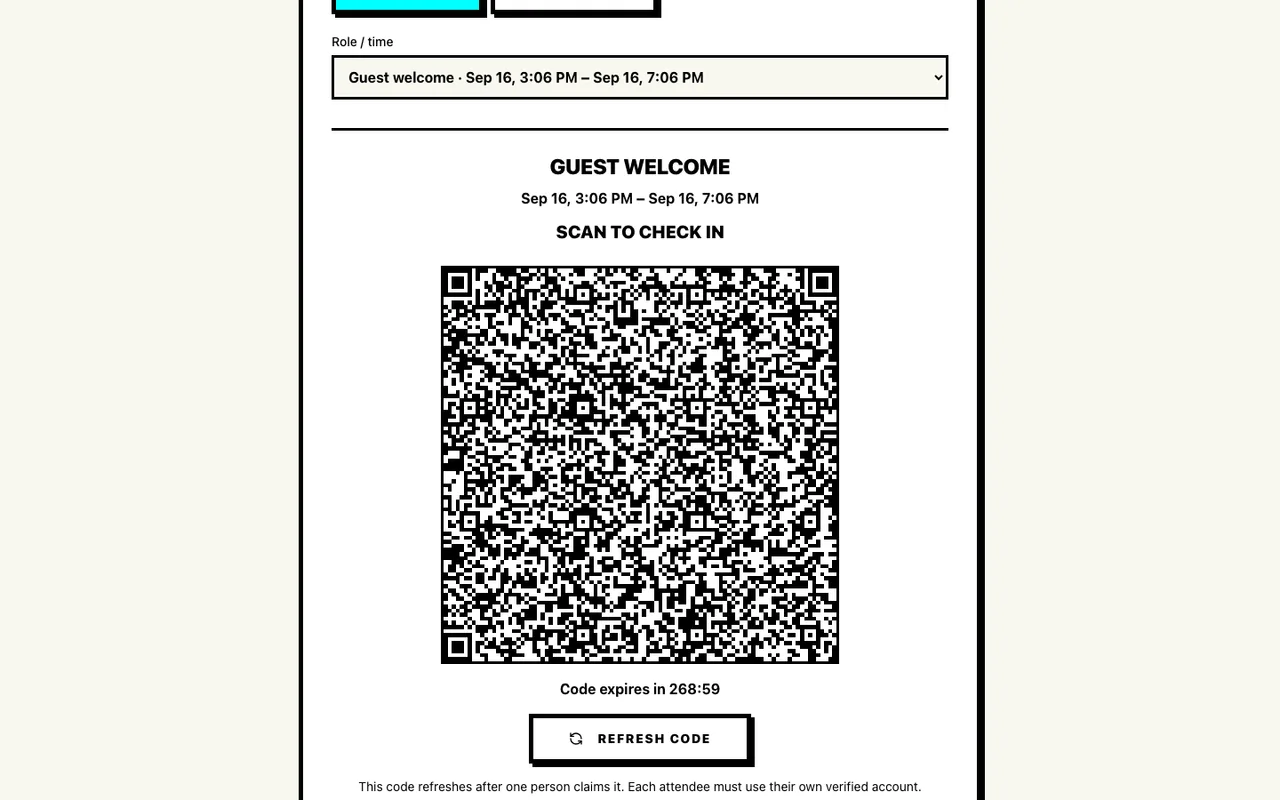
Review the separate Standard volunteer draft before publishing it. Open Event Kiosk for the published Standard volunteer event, choose the role and time, and select Check In. A confirmed volunteer scans the rolling QR with their phone. For early departures, switch to Check Out and use the new code.
What happens next: The Gala table reservation does not produce separate guest tickets for scanning. Use the Standard event’s kiosk and roster for volunteer attendance; use the Gala roster and table pages for table owners and guests.
For a signed-out volunteer, the email-code fallback uses the signup email and a six-digit code; a signed-in volunteer’s check-in records with no second confirmation. For an early departure, use Check Out. If someone is still checked in, the report closes them at the earlier scheduled end. For a reusable printed sign, use Printed Attendance Signs on the Standard event. Volunteers choose an action and eligible role, and confirm. Both options need internet access; see the QR attendance guide for the complete flow.
Run volunteer check-in on event day
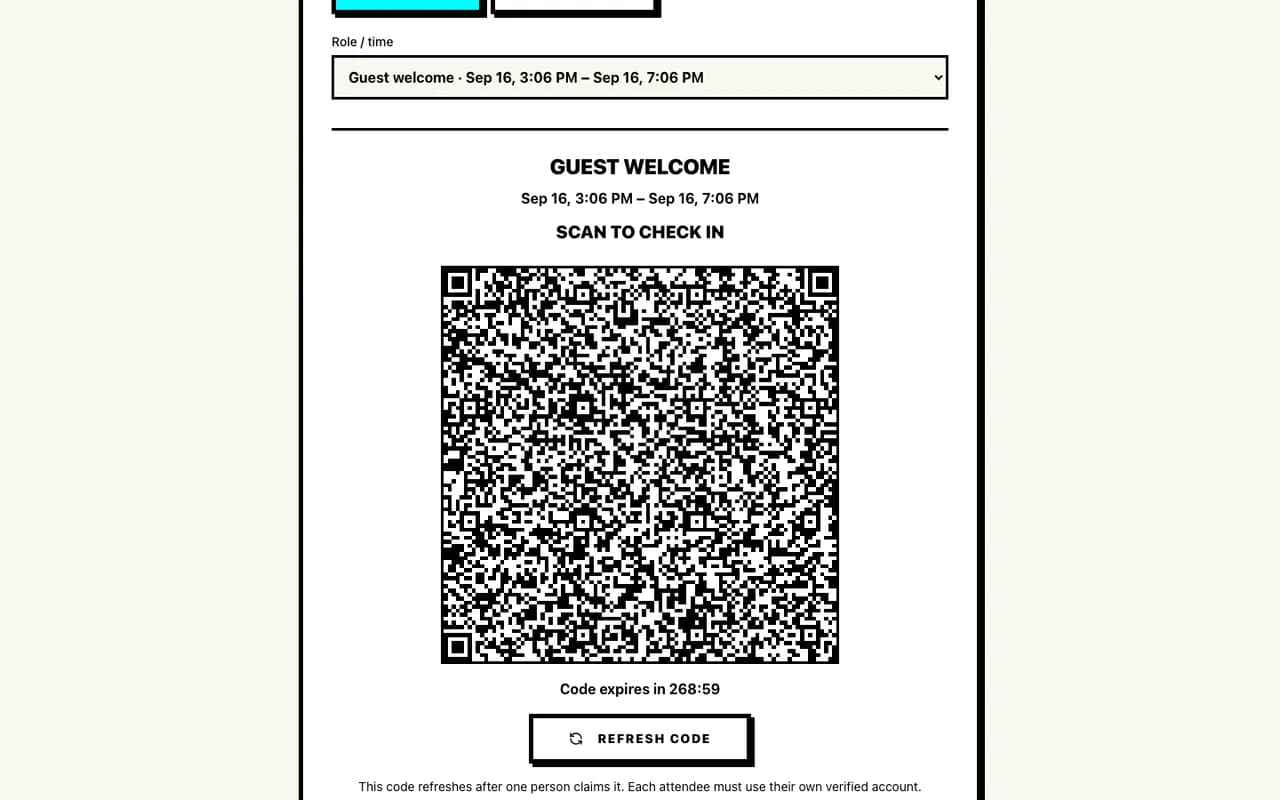
Use Event Kiosk on the separate Standard event for confirmed volunteers.
Boundaries worth knowing
Questions coordinators ask before sharing the link.
What does accepting table payments cost?
Drafts and the Gala template are free. Get paid for your events for $16/month per organization. Connect Stripe, accept event payments, and keep the money after Stripe's standard processing fees. Proximatic takes $0 from your payments. Previously paid event activations remain valid for those events. New payment-enabled events use Pro instead of a per-event activation fee. Existing payments and reservations are not converted into new subscriptions.
Does the table price create guest tickets?
No. The table price is for the whole table and creates one table-owner assignment. The purchaser can share the table page and approve guests there; keep any final seating list your organization needs.
When should I tell the owner their table is confirmed?
After the Stripe payment is authorized, Proximatic verifies capacity before confirming the reservation. Look for the assignment on the Gala page, in the coordinator roster, and on the table page.
Can volunteers use the Gala page?
Use a separate Standard event for volunteers. It has no activation fee and supports roles, shifts, the confirmed volunteer roster, QR check-in, checkout, and attendance reports. The Gala page is for paid table reservations.
Start your dinner draft.
Create an account, connect the payment destinations, and build the Gala before you share its public page.