Let your table hosts handle the guest list
By Proximatic
Say Alex buys a table at your fundraising dinner and invites his friends. He sends you the names of the people who've replied so far.
You put them on the guest list, then email Alex for the rest. He asks his friends, waits for their replies and forwards them to you. Another name arrives by text while you're on the phone with the caterer.
Alex is already doing the inviting. Let him manage his table's guest list, so you don't have to enter every name.
In Proximatic, his confirmed table has its own page. He shares it with his guests, they request to join, and he approves the people coming with him.
Alex books the table and sends the invitation
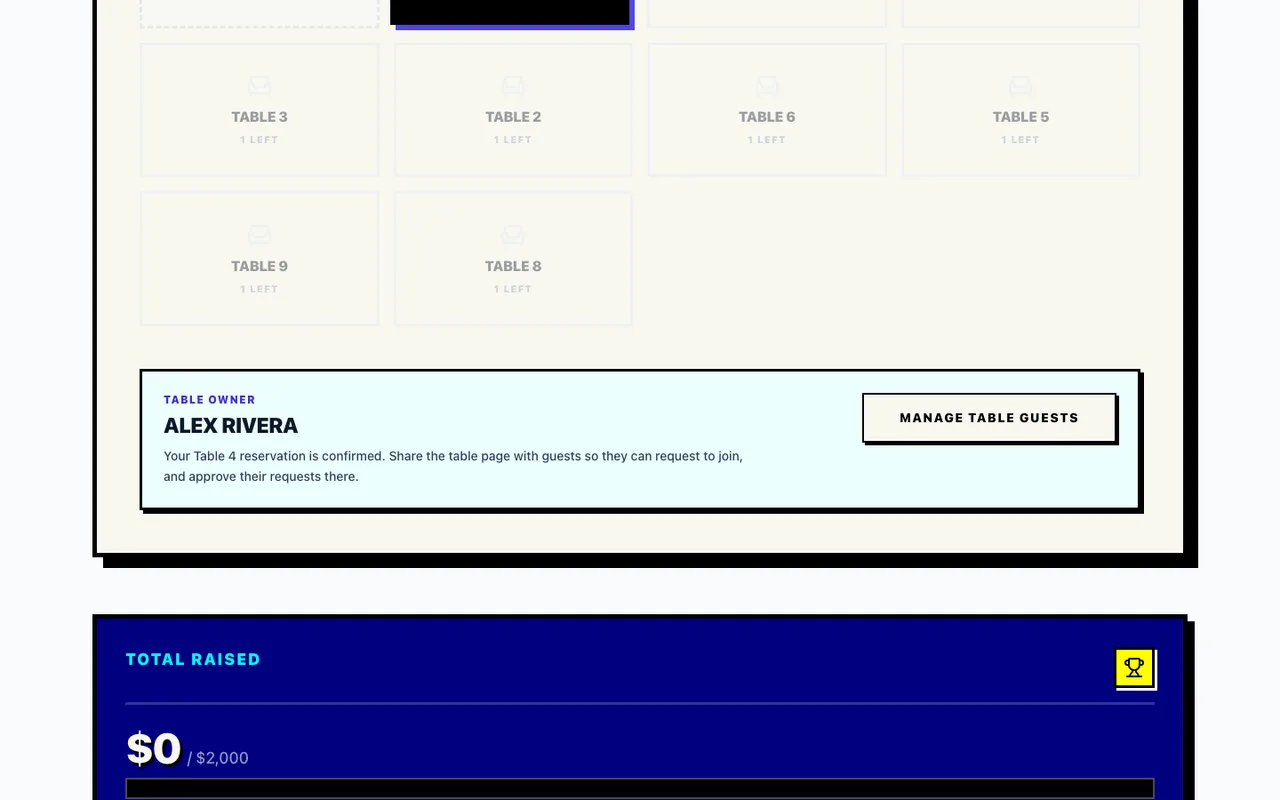
Alex opens your dinner's event page, signs in and chooses a table. He selects Book My Table and completes the payment. Once the reservation is confirmed, the event page shows him as the table owner, with a Manage table guests button.
That button opens his table page. Alex copies the address from his browser and sends it to his friends by email, text or group chat.
Sam opens Alex's email and joins his table
Sam receives Alex's email, opens the table link and selects Join Squad, then Create Account. They enter their name, email and a password. Proximatic sends an email titled Verify your Proximatic email, with a Verify email button. Sam opens that email and clicks the button in the same browser where they started signing up.
Proximatic signs Sam in, returns them to the dinner's event page and submits their request to join Alex's table automatically.
Alex approves Sam's request
Alex opens Manage table guests again. Sam's name appears with Needs Approval beside it. Alex selects the checkmark next to Sam's name, adding Sam to his approved table list.
Table host controls and a guest waiting for approval
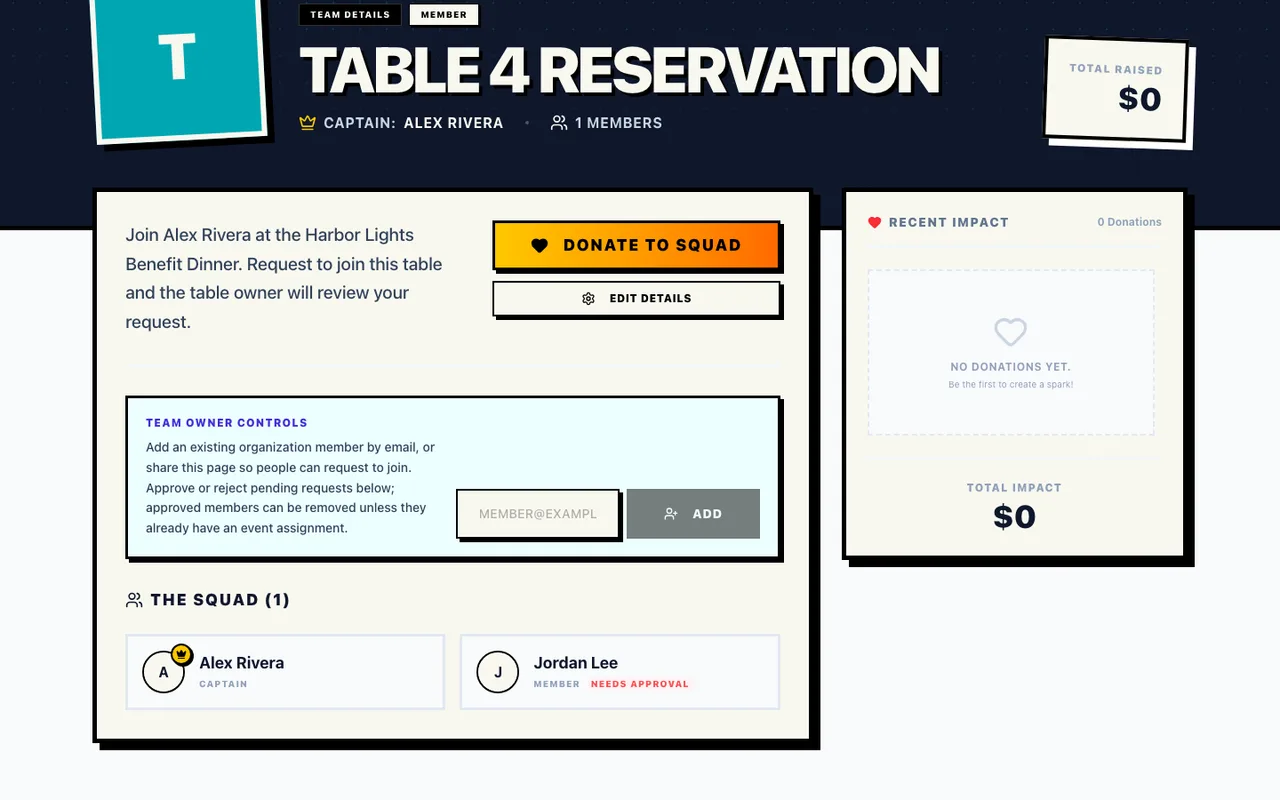
A guest who's already signed in but hasn't joined your organization sees Apply to Join after selecting Join Squad. They select Send Application for an organizer to review. The organizer's approval adds that guest to Alex's approved table list.
Give Alex a guest-list deadline before your final numbers are due to the caterer. By that date, he checks the approved names, tells you who's coming and lets you know about any seats he won't fill. You can finish the dinner count and prepare the welcome list.
The fundraising dinner walkthrough shows the table reservation and guest-management screens.