Food Pantry Volunteer Staffing: Cover the Work, Shift by Shift
A food pantry volunteer schedule should answer which jobs need people, when they need them, and how many places you still have to fill. Start with the work your pantry expects to do, allow time for briefing and breaks, then check that each station can stay covered.
A total headcount is only a starting point. A useful plan tells you whether three packers will be ready at 9am and who will stay for cleanup after the last collection.
With Proximatic, describe the pantry day in one textbox. Give it the jobs, times and staffing counts, and it creates the event, shifts and assignments using your approved volunteers' saved availability. You review the roster and any open places. With Pro, you can also collect availability by email and let replies prepare the draft schedule.
The examples below help you choose sensible counts before creating the event. Proximatic handles the scheduling; your pantry's workload tells you how many people each job needs.
Start with six recognizable jobs
Walk through a service day with the pantry lead. What has to happen before the doors open, while guests are there, and after they leave?
- Preparation: set out supplies and get stock ready.
- Intake: welcome arrivals and complete the pantry's normal intake process.
- Packing: assemble and replenish what each collection needs.
- Guest assistance: help people find what they need and move through the service.
- Distribution: hand over collections or help with carry-out.
- Cleanup: return supplies and restore the work areas.
Separate jobs that need different preparation or approval. Hawaiʻi Foodbank's volunteer opportunities distinguish warehouse and distribution work; use that distinction to check whether your own plan covers both.
Use a short observation to improve the estimate
Measure a task the team recognizes. If two people prepare 30 boxes in half an hour, that took one hour of volunteer effort, or two minutes per box. Include replenishing supplies if that belongs to the packing job.
A three-hour shift may have less than three hours available for that work. Reserving fifteen minutes for briefing, breaks and handover leaves 165 working minutes per person. Where a station must stay open during a break, give someone responsibility for relief as well.
At two minutes per box, 180 boxes need 360 minutes of packing effort. Two people with 165 working minutes each provide 330 minutes, so plan for at least three packers. Then check whether the busiest period or a station that needs continuous cover calls for more people.
Try the boxed-distribution example
The first plan prepares for 180 collections. Preparation runs 7–9am, service 9am–noon, and cleanup noon–1pm.
During service, the example needs nine simultaneous places: two intake volunteers, three packers, two guest assistants and two distribution volunteers. Preparation needs four people; cleanup needs two.
Those fifteen role commitments occur across different parts of the day. Someone who can cover preparation and a later service shift may take both, provided the work and handover fit. Check the actual people and windows before deciding how many different volunteers to recruit.
Compare a choice pantry
The choice-pantry example serves 120 visits and allows more time for guest assistance. Its service requirement is eleven simultaneous service places: two intake, two packing, six assistance and one carry-out place. Preparation needs three people and cleanup two.
This plan puts more people on guest assistance. Replace the example timings with your own observations, then check whether the room, stock and busiest arrival period support the plan. A comfortable average across three hours can hide a crowded first half-hour.
Create the pantry event in one description
For the boxed-distribution plan, put the jobs and full commitment times into Describe your event:
Plan our pantry distribution on November 21, 2026. Preparation is 7–9am for 4 people. Service is 9am–noon: 2 people on Intake, 3 on Packing, 2 on Guest assistance and 2 on Distribution. Cleanup is noon–1pm for 2 people. Use our approved pantry volunteers and their saved availability. Leave unfilled places open for signup.
Replace the date and counts with your pantry's plan. Review the draft, add meeting points and lead contacts, and check the open places before publishing. The AI event setup guide shows the textbox and review steps.
Let volunteers reply with their available hours
If you need fresh availability first, prepare an upcoming draft with those custom shifts. With Pro, choose Request availability, check the recipient teams and select Send request. Volunteers can reply with their date and hours:
I can help on November 21 from 8:30am to noon. I can't stay for cleanup.
Proximatic reads the replies, asks about unclear answers and prepares the private roster. That reply can cover the full service shift, but not preparation from 7am or cleanup after noon.
A Proximatic availability email with the event date, time and reply instructions
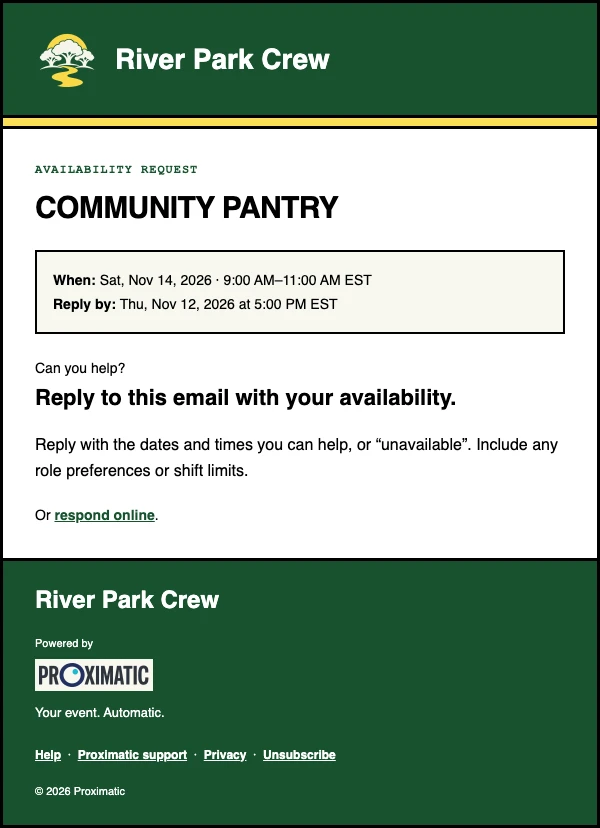
Newly saved Pro AI drafts start availability outreach to the approved roster teams automatically. Review the replies and assignments, then publish when ready; Proximatic asks assigned volunteers to confirm their shifts.
Review the roster and fill the specific gap
Once the pantry lead agrees the counts, create the shifts with a clear role, full commitment time, meeting point and contact. Collect availability for the whole shift: someone free until 10am cannot cover a 9am–noon packing place.
Pantry shifts and named volunteers in the calendar
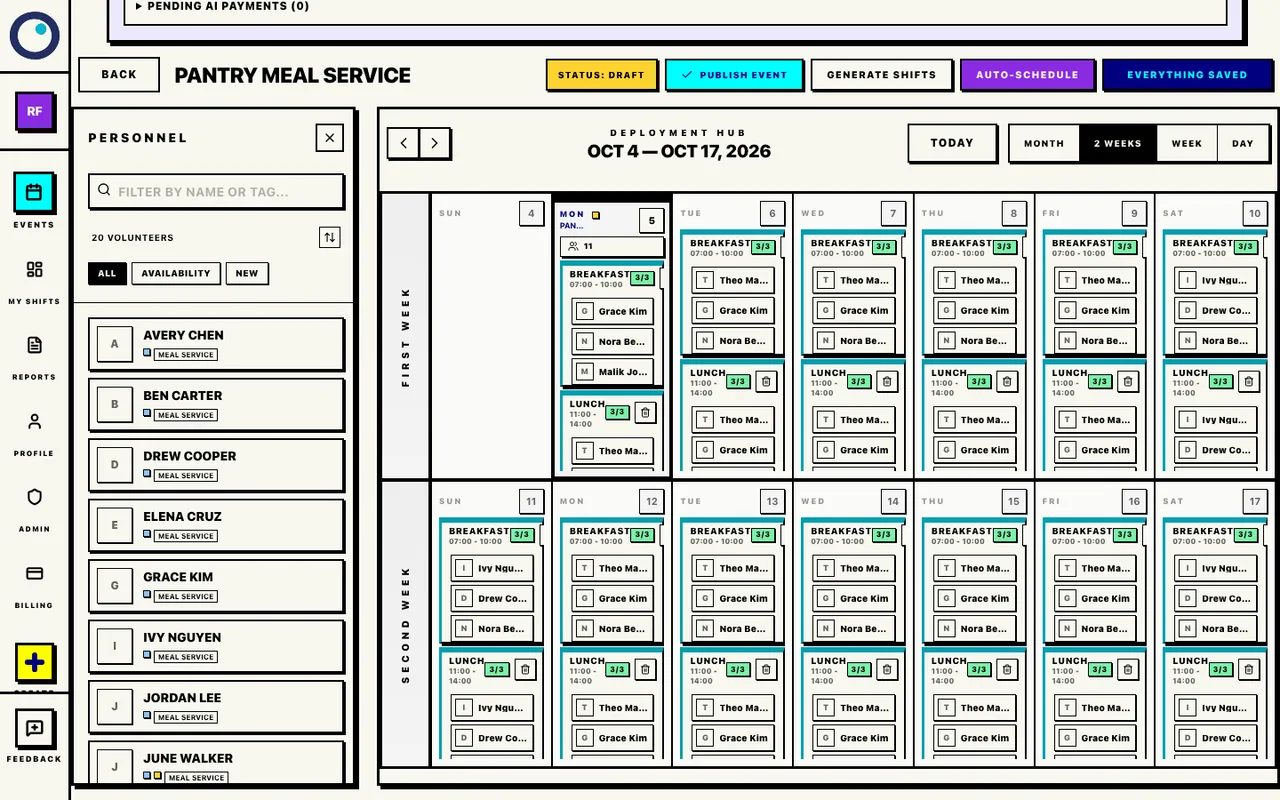
Look through the roster by role and time. If packing is short, open that shift's Find cover action to see people who can cover its full time. Review the person, contact them and agree the commitment before saving the assignment. Proximatic fills that place while keeping the other assignments in place.
The pantry signup guide explains how to share the event with volunteers. The volunteer-management walkthrough takes you through availability, shifts and roster review in Proximatic.
After service, ask the leads what took longer than expected and where relief was needed. Use what you learn to adjust the next pantry day’s shifts.