Proximatic for volunteer teams
Best free volunteer rota software
Build your rota, fill shifts and handle changes in one place. Proximatic matches volunteers to the hours they can work and lets your team claim and swap shifts themselves.
No subscription. No per-volunteer fees. No card required.
Build the rota around your volunteers’ availability
Proximatic checks when each volunteer can work, which jobs they can do and their other shift commitments. Auto-Schedule uses that information to assign your team to the work, saving you from matching every person to every shift by hand.
You can see the assignments and any places still needing someone. Give the remaining jobs to new helpers, change the hours or find cover from your regular team.
Explore scheduling rulesLet volunteers claim their own shifts
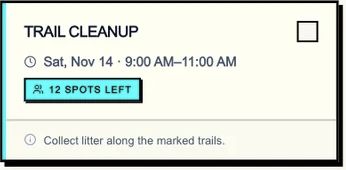
Share your signup page in an email, group chat or on your website. Volunteers see the jobs, times and places available, then choose a shift and join with their name and email.
Their names go straight onto your rota, the remaining places update and Proximatic sends their confirmation email. You can combine open signups with jobs already assigned to your regular crew.
See volunteer signupsChoose an open shift
Handle changes without all the messages
Volunteers can change or cancel bookings from their confirmation email. Your regular team can arrange shift swaps in Proximatic, too. You decide whether to approve each swap or let it complete once both people agree.
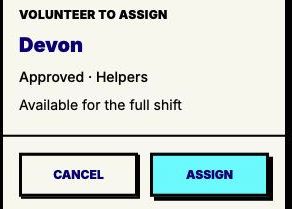
For a shift that still needs someone, Find cover shows people who can do the job and are available for the full hours. Choose a replacement without rearranging the rest of the rota.
Find the right cover
The rota becomes your attendance list
See who’s expected, check volunteers in and out, and review their contributed hours afterward. Your team’s jobs, signups and attendance stay with the same event.
Explore attendance and hoursKeep next week simple
Reuse your jobs and shift times for the next date, then build the next rota from current availability.
See a two-week pantry rota in Proximatic
Our pantry example shows who is assigned to each meal, where a dinner shift needs another person and how a volunteer’s extra availability changes the schedule. You can see the rota and the decisions behind it before building your own.
Explore the pantry rotaA full rota. No monthly bill.
Automatic scheduling, shift signups, swaps, cover and attendance are free. There’s no free-plan volunteer cap and no charge for each person you add. Invite the team you need and keep your budget for the work they’re doing.
Want AI to plan the event, too?
Describe the event and let AI build its jobs and shifts. Your first AI event each month is free, with further AI events at $2 each. No subscription required.